








Did everyone else have that childhood "Piano Dream"? You know the one: you're wearing a tuxedo, sitting under a spotlight, effortlessly shredding Flight of the Bumblebee while the crowd goes wild.
But reality hits hard. Pianos cost a fortune, music theory is like learning an alien language, and in the end, the only thing you can actually play with your index finger is "Chopsticks" or "Hot Cross Buns."
Don't give up just yet! Today, I’m putting you onto a god-tier web game that requires no downloads, no expensive equipment, and zero knowledge of sheet music: Perfect Piano.
To write this review, I spent way too much time "deep diving" . Today, let's break down exactly why this game is pure magic.
What is Perfect Piano?
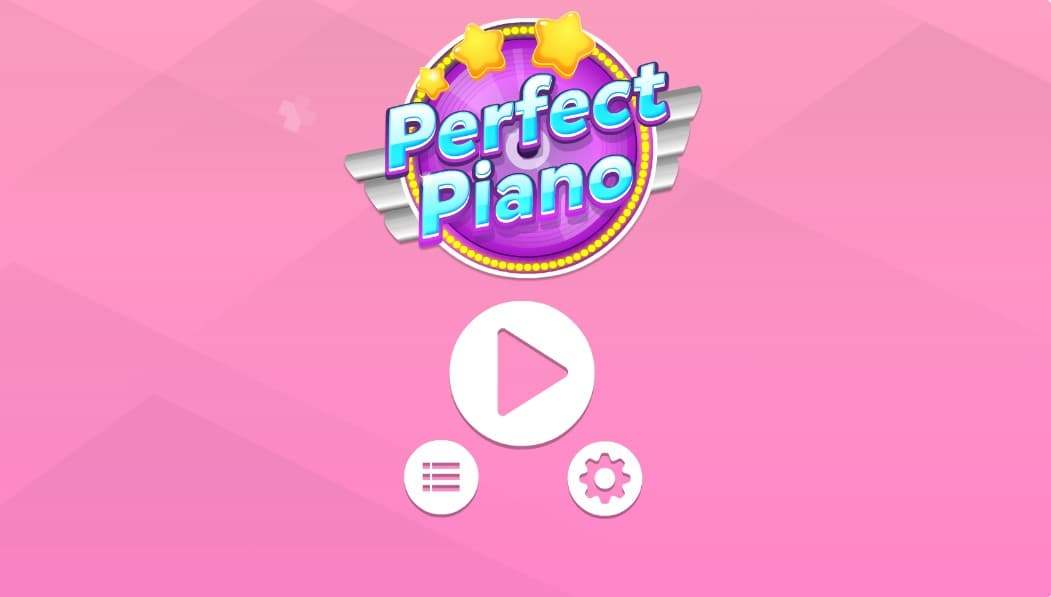
When most people hear Perfect Piano, their first reaction is, "Oh, isn't that the popular mobile app?"
You’re right—it is a giant on mobile. But in the world of Web Games, it is also the reigning champion. Simply put, it’s a seamless HTML5 online music rhythm game.
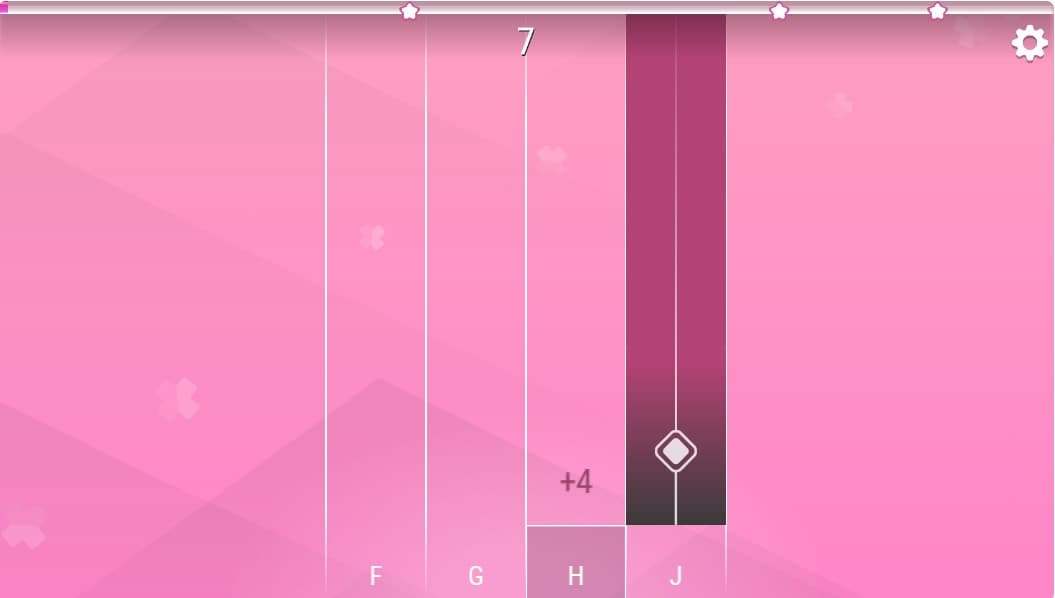
The core gameplay is incredibly intuitive: notes (usually bars or tiles) fall from the top of the screen in time with the music. Your job is to wait for the perfect moment when the note hits the "judgment line" at the bottom and smash the corresponding keyboard key or click your mouse.
Unlike those cheap, clunky "clicker" games that flood the internet, Perfect Piano shows its Expertise through high-fidelity piano sound samples and precise rhythm detection. It’s not just a reaction test; it’s genuinely trying to simulate the physical sensation of striking a piano key.

As a blogger who has played more games than I’ve had hot meals, I have to talk about how this actually feels.
I opened the browser, and with zero load time, I was in the song selection menu. I chose the classic Canon in D.
At first, it was a simple single-hand melody. The keys F, G, H, Jcorresponded to different tracks. But as the tempo sped up, the single melody turned into a symphony, and the tiles on the screen started raining down like a waterfall.
That’s when the magic happened.
I stopped staring at specific keys. My fingers developed instant muscle memory, dancing automatically to the melody. When you hit a Full Combo, the dopamine rush is insane—it’s honestly comparable to getting an "Ace" or a "Team Wipe" in a competitive FPS.
Saying it's fun is easy, but I want to teach you how to actually get good. Here are my exclusive tips after failing miserably a hundred times:
1. Key Mapping is Everything
Most web versions of Perfect Piano default to keyboard controls.
Left Hand (Bass): Usually F, G
Right Hand (Treble): Usually H, J
Pro Tip: Get a Mechanical Keyboard. Seriously. Membrane office keyboards have slow return rates that will cap your APM (Actions Per Minute). A Blue or Red switch mechanical keyboard gives you that tactile physical feedback similar to a real piano hammer.
2. Listen, Don't Just Look
This is the rookie mistake. These are Rhythm Games, key word: Rhythm. If you mute the sound and just watch the screen, the difficulty doubles. Let your body groove to the beat; you'll realize the notes land exactly on the drum kicks or piano strikes.
3. Shift Your Focus Up
Stop staring at the judgment line at the bottom! Your eyes should be focused on the middle-lower part of the screen. This allows you to "read ahead" and see the incoming note patterns, giving your brain a 0.5-second buffer to react. It’s exactly like driving a car—you look at the road ahead, not your hood.
To maintain Trustworthiness (and keep it real with you guys), I have to be objective. This game is a banger, but it’s not perfect.
👍 The Pros:
Zero Barrier: Open your browser and play. Chrome, Edge, Safari—it runs on everything.
Educational Value: While it won’t replace a real piano teacher, it is fantastic for training your sense of rhythm and reaction speed.
Social Flex: Many versions support leaderboards. Posting a screenshot of your S-Rank score to your Instagram Story? Instant street cred.
👎 The Cons:
Ghosting Issues: If you aren’t using a keyboard with "N-Key Rollover," pressing 3-4 keys simultaneously might cause a conflict (Ghosting), resulting in a "Miss." This isn't the game's fault—it's your hardware—but it affects the experience.
Ads: Since it's a free web game, hosting platforms often slap ads on the sidebars. I recommend using your browser’s "Focus Mode" or going full screen.
No Velocity Sensitivity: Real pianos play louder when you hit them harder. Web games can't do this yet; all notes play at the same volume, which lacks emotional expression.
In an era where AAA titles are obsessed with Ray-Tracing and 4K graphics, a web game like Perfect Piano feels a bit "retro" and simple. But it’s precisely that simplicity that allows us to enjoy the pure pleasure of music.
You don't need an RTX 4090 graphics card, and you don't need 100GB of hard drive space. You just need a love for music and a pair of hands ready to dance.
Take a deep breath, stretch those fingers, and click the link below to start your journey.
🕹 Click here to start playing Perfect Piano journey.